Electronics How to Choose an HDMI Cable for 4K and 8K Gaming
P
By the Pickpedia Team
·1 picks compared
·Last verified October 2026
Affiliate disclosure: As an Amazon Associate, Pickpedia earns from qualifying purchases. Links on this page are paid links, and we may earn a commission at no extra cost to you. This never affects our picks or scores.
Picking an HDMI cable sounds trivial until refresh rates and resolutions enter the mix. The right cord unlocks your gear; the wrong one caps it quietly.
Match the standard to your gear
Check whether your console, player and display speak HDMI 2.1 or 2.2. A cable can only pass what both ends support, so buying ahead of your hardware just adds headroom, not instant gains.
Watch the bandwidth rating
Bandwidth in Gbps sets the ceiling for resolution and refresh. Higher-rated cables leave room for 4K at 120Hz or 8K at 60Hz, but the number only matters if your source outputs those modes.
Get the length right
Measure before you buy. A short cord like a short 8K-ready HDMI cable suits a console beside the screen, while wall-mounted panels need a longer, carefully routed run.
Confirm audio return support
If a soundbar or receiver sits in your setup, look for eARC. It carries lossless formats over one cable, but both your TV and audio device must support it.
Judge the build quality
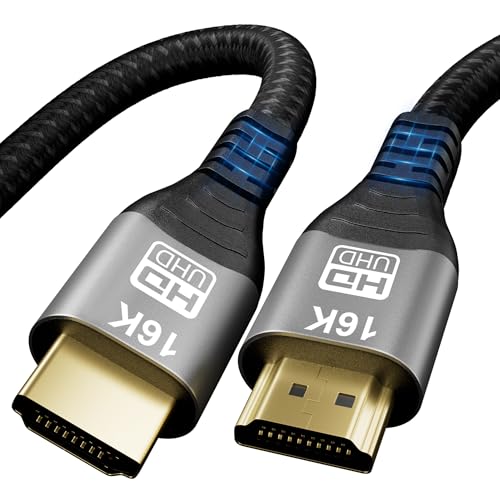
Braided jackets and ferrite beads help a cable survive bends and resist interference. These touches matter most where the cord flexes behind furniture or gets moved often.
The bottom line
Buy for the gear you own, size the length to your room, and confirm audio return before you commit. Get those three right and the cable disappears into the setup.
How to Choose an HDMI Cable for 4K and 8K Gaming at a glance
Why you can trust this guide
We compared these picks using verified manufacturer specifications, current retailer listings, and patterns in owner feedback, alongside editorial research. We focus on measurable differences such as performance, capacity, usability, and build quality. Pickpedia does not present editorial research as laboratory testing, and we do not claim hands-on testing unless it was actually performed.
Our top picks
This is a 3.3-foot HDMI 2.2 cable rated by the maker for 96Gbps ultra high speed. It suits gamers and home cinema owners who want headroom for 4K at 120Hz, 8K at 60Hz and eARC audio return. The listing lists dynamic HDR, HDR10+, HDCP 2.2 and 2.3, VRR and ALLM support. Nylon braiding and copper cores aim at durability and steady signals.
StandardHDMI 2.2
Rated speed96Gbps ultra high speed
Length3.3 feet
Max resolution16K at 30Hz (maker-stated)
High refresh4K at 120Hz, 8K at 60Hz
Audio returneARC, Dolby Atmos, DTS X
HDRDynamic HDR, HDR10+
Copy protectionHDCP 2.2 and 2.3
Pros
- Rated 96Gbps for wide bandwidth headroom
- eARC support for lossless surround audio
- Named gaming features like VRR and ALLM
- Backward compatible with older HDMI devices
- Braided jacket built to resist bends
- Short length keeps cable clutter low
Cons
- 3.3-foot length limits placement
- Full spec needs HDMI 2.2 on both ends
- Resolution claims are maker-stated only
- Too short for long wall routing
Read our full review → Check price on Amazon ›
Note: Availability and specifications change often. Always confirm the current details on Amazon before buying.